Built with Managoat

12 open-source apps. One API for the agents behind them.

We built these apps to show what Managoat can power: chat, research, data analysis, code work, infrastructure operations and multi-agent workflows. Open any app, inspect its source or connect it to your own Managoat server.

Most have no backend of their own. Managoat keeps the agent machines ready and holds credentials and transcripts.

Start here

Three ways to work with your agents

Fountain's web UI is the operator console for accounts, keys, agents, environments and audit. These three apps are working surfaces built on the same public API available to your product.

Real app screens with a seeded local example. Select a screenshot to see it full size.

Conversations

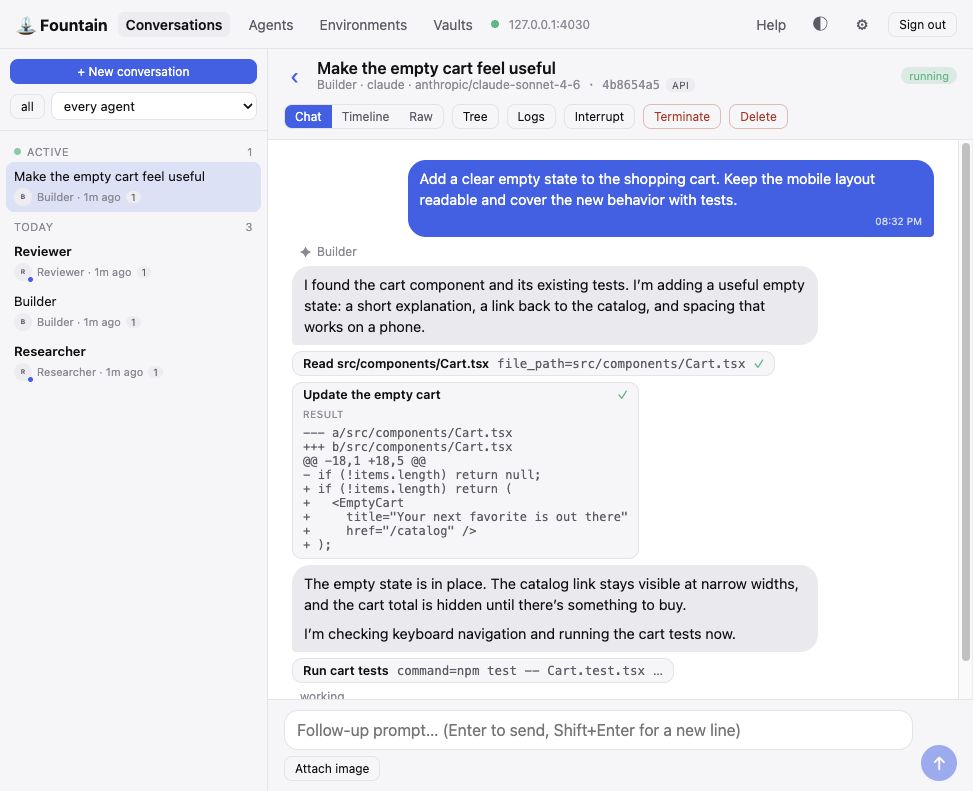
Conversations showing a cart task, tool calls, an expanded code diff, and tests in progress

fountain-conversations.demo.managoat.com

A coding-agent chat with its checkout, shell and event stream visible.

Start a run and watch the agent work turn by turn. Switch among chat, timeline and raw views of the same conversation, including the sandbox it shares with related runs.

Start here to see one run from first prompt to final response.
Team

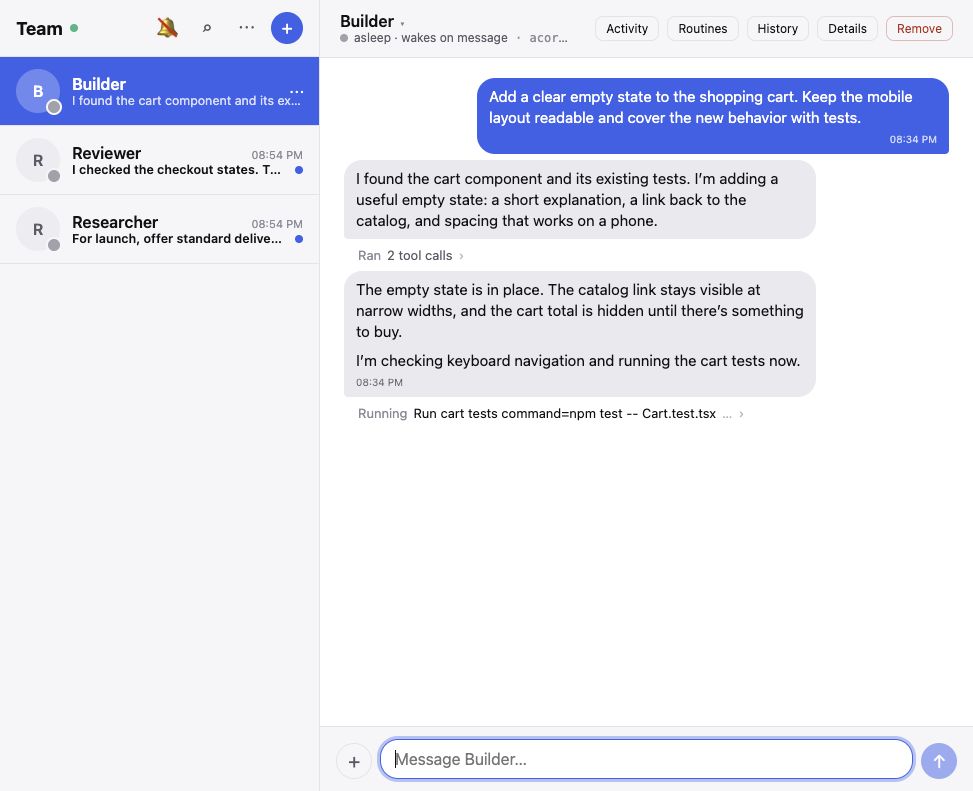
Team with Builder, Reviewer, and Researcher in the roster and Builder’s thread open

fountain-team.demo.managoat.com

A team messenger whose contacts are agents you configured.

Message your agents as teammates. Keep a roster beside the thread, schedule recurring routines, attach images and search the conversation history.

Use it when a thread is the natural place to hand off work.

Workbench

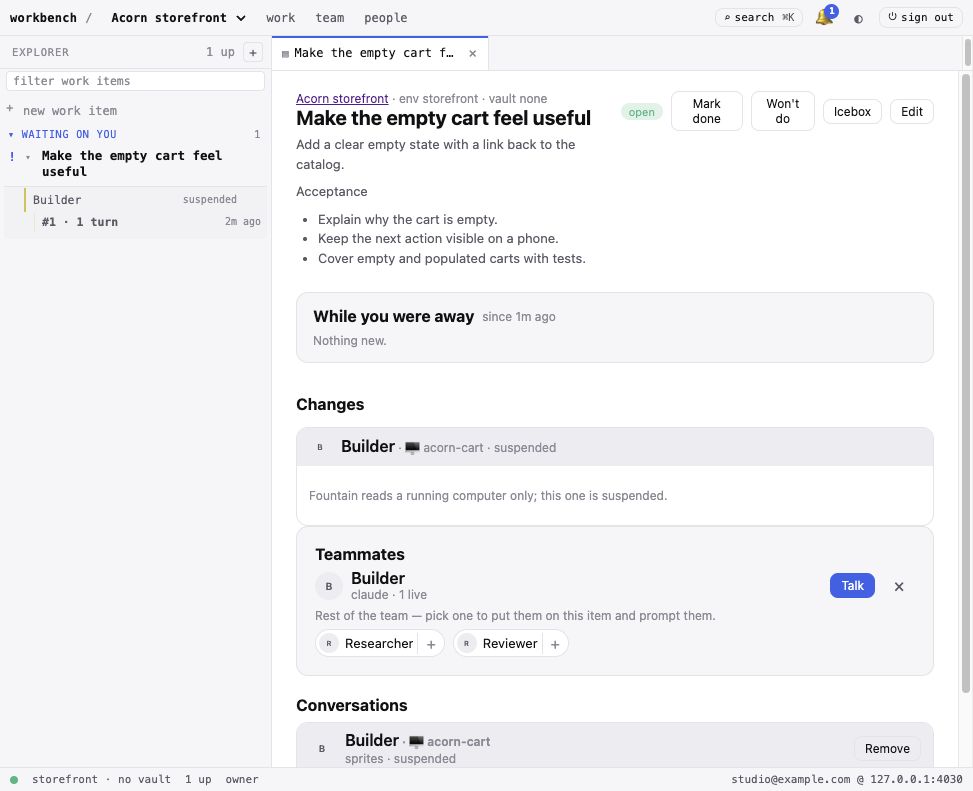
Workbench with a storefront work item and Builder assigned to it

fountain-workbench.demo.managoat.com

One board for shared projects, work items and the agents assigned to them.

A shared engineering workbench. Each project bundles a reusable environment and credentials with its work items, so assigning an agent takes one prompt.

Use it when several people need the same agents and project setup.

More products built on the same API.

Each app isolates a different pattern: document generation, data analysis, code work, live operations, scheduled maintenance or parallel agents.

Research and data

The output is a document or a chart. The agent and its sandbox stay behind the interface.

Briefing Room

briefing-room.demo.managoat.com

Describe what you need to understand and why. A research agent reads sources on the web and returns a cited brief instead of a chat transcript.

Under the hood web research that returns a document instead of a chat interface

Table Talk

table-talk.demo.managoat.com

Drop in a CSV. An analyst runs Python in its sandbox and returns charts with plain-language findings. Keep asking questions of the same data.

Under the hood sandboxed Python analysis behind a file-upload interface

Software engineering

Each app gives an agent a checkout, a shell and a bounded task, then makes the work visible.

Repo Sage

repo-sage.demo.managoat.com

Name any public GitHub repository. An agent clones it in a sandbox and answers with file-and-line citations that link back to the source.

Under the hood repository checkout, search and file-and-line citations

Mission Control

mission-control.demo.managoat.com

Describe a goal. A coordinator drafts a plan for your approval, then starts one sandboxed agent per task. Watch them work and receive one combined report.

Under the hood approval gates, parallel runs, combined event streams and a final report

DNS Desk

dns-desk.demo.managoat.com

A DNS operator for your Cloudflare zones. Ask in plain words, read the plan as a diff, approve. The zone tables stay on screen while the agent does the work.

Under the hood a reviewable plan and explicit approval before changing a live system

Infrastructure operations

These apps monitor and repair systems with tools scoped to the job. A scheduled run can decide that nothing needs doing.

Watchtower

watchtower.demo.managoat.com

A scheduled SRE agent monitors uptime, latency, TLS expiry and DNS for every site you name. When a tile turns red, ask it to investigate with its tools.

Under the hood scheduled runs, tool-backed investigation and conversations as durable history

Mend

mend.demo.managoat.com

Mend audits CI, manifests, Dockerfiles and cloud templates. It applies mechanical fixes, explains judgment calls and returns one patch.

Under the hood a real CLI in the sandbox and ambiguous findings left for review

Rounds

rounds.demo.managoat.com

Dependabot for infrastructure config. Rounds audits an enrolled repository on a schedule, fixes what it can verify and opens a pull request without repeating closed findings.

Under the hood an unattended workflow and an agent that knows when to do nothing

Agent evaluation

Run the same prompt across several agents, then compare their outputs and usage.

Arena

arena.demo.managoat.com

Send one prompt to several agents in blind columns. Compare their live responses, latency and token counts, then vote on the result.

Under the hood parallel conversations, model selection and per-turn usage

One connection for every app.

Each app calls Managoat directly from your browser. Point it at your own server, then authenticate with OAuth or an API key.

Server

Run it yourself

Use a Fountain server under your own keys and infrastructure.

Authentication

Sign in with Managoat

OAuth with PKCE creates an API key without giving the app your password. See and revoke the key under Account.

Runs

Work on your account

The app sees the agents and conversations your key can access. Each new run happens in a sandbox on that account.

Build the next one.

A static front end can start with the TypeScript SDK and Sign in with Managoat. The build guide walks through a team chat end to end, and every app above is an implementation you can read.

Each app is MIT licensed and runs on its own origin. Inspect or self-host the source before connecting an account. You can revoke its Managoat API key at any time under Account.