Conversations
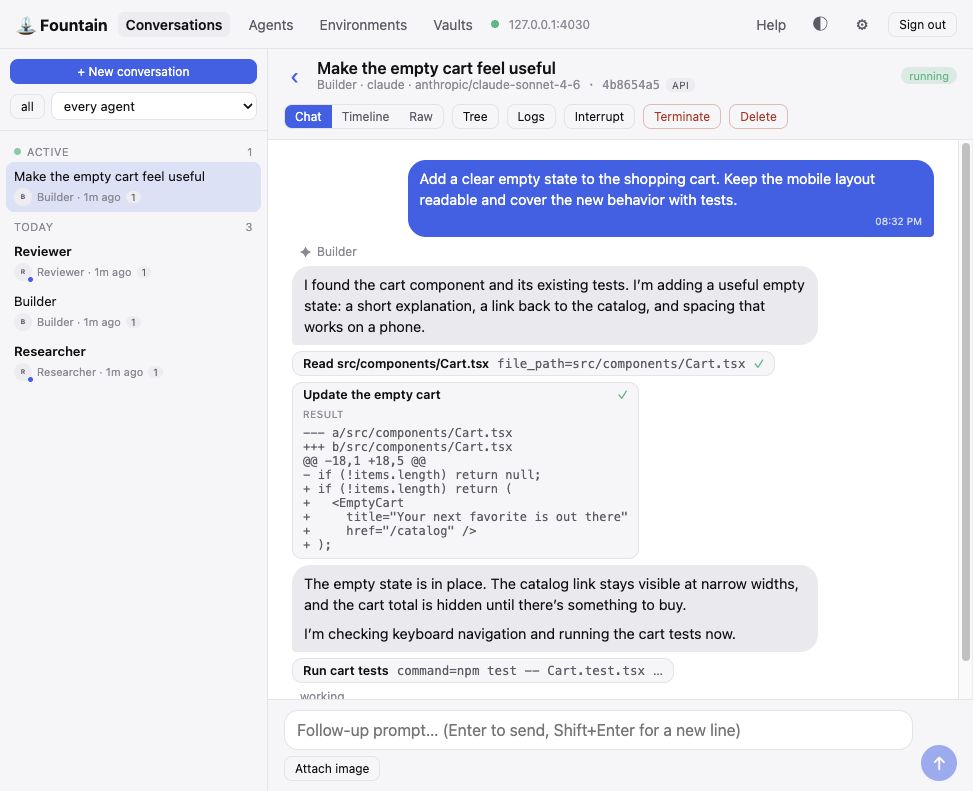
Run an agent and watch every step.
 Managoat
Managoat is the hosted Fountain. The engine is open source and you can run it yourself.
Open Conversations to give an agent a task, follow its tools and changes, and send a follow-up. Each conversation has a real computer that keeps its files between prompts.
$5.00 of credit to start, no card. Bring your own model key: you pay for agent time, never tokens.
Apps
12 open-source apps already run on the public API. Use one, fork its source, or point it at your own instance.
Run an agent and watch every step.
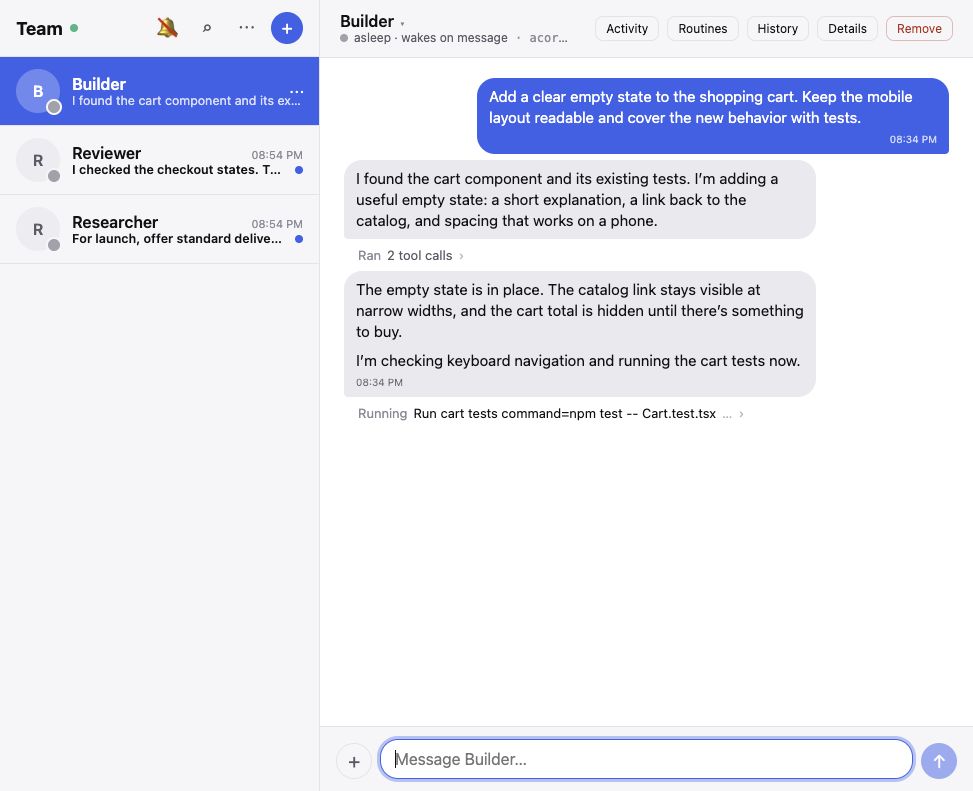
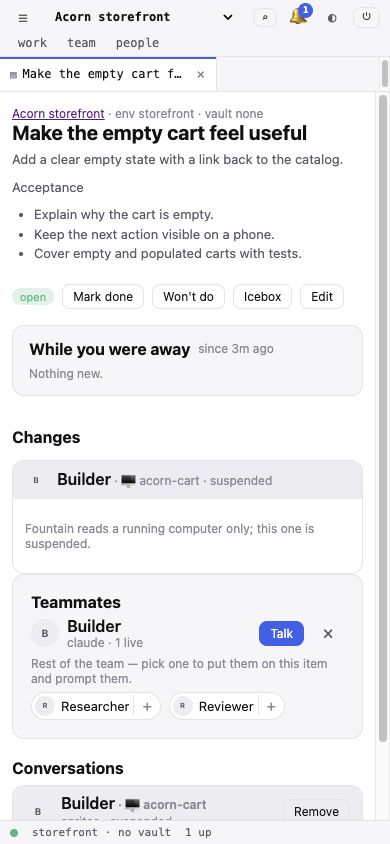
Message your agents like teammates.
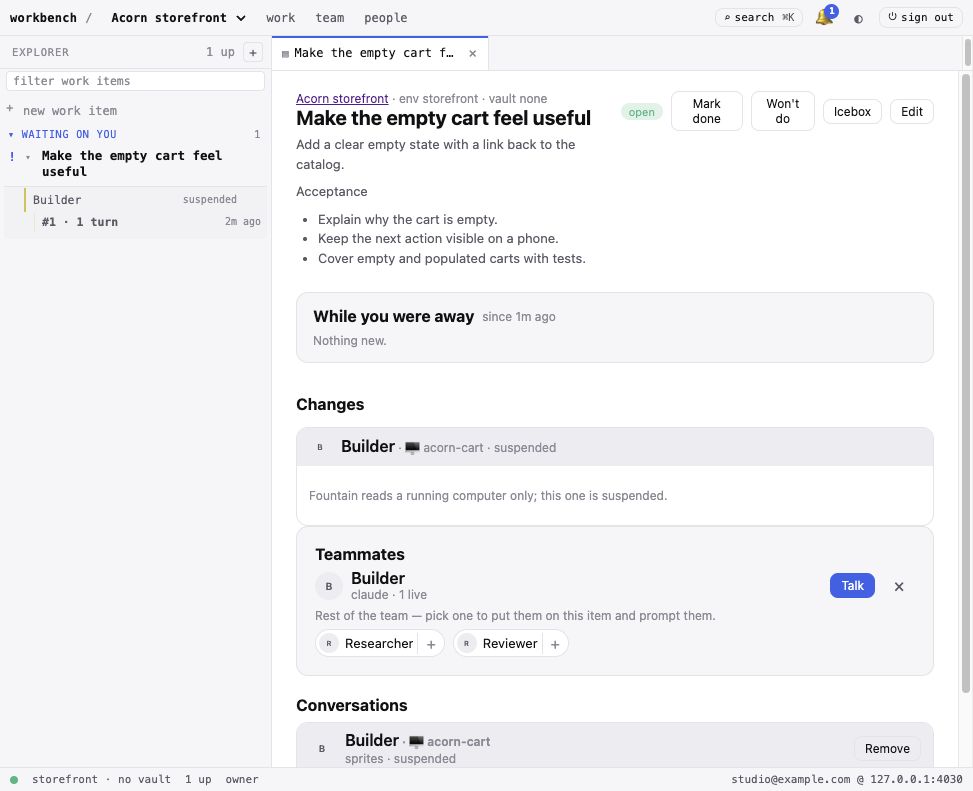
Assign work across shared projects.
Your repositories, packages and credentials arrive with the machine. It parks between prompts and wakes with its work intact. Run your own instance or use the hosted service.
Case study
When a workload breaks, this Kubernetes cluster pages an on-call engineer and starts an agent at the same time. The agent investigates the alert and, when it finds a repository fix, opens one focused pull request. It never holds cluster credentials. A person decides whether to merge.
Measured from 11 to 25 August 2026 on one Kubernetes cluster running live production workloads. Numbers reported by the cluster administrator (us).
Setup
# fountain.yml
apiVersion: fountain.dev/v1
kind: Environment
metadata:
  name: app
spec:
  repositories:
    - url: https://github.com/acme/app
      mount_path: /work/app
      secret_key: GITHUB_TOKEN
  setup_script: cd /work/app && npm install
---
apiVersion: fountain.dev/v1
kind: Vault
metadata:
  name: ci-bot
spec:
  secrets:
    GITHUB_TOKEN: op://Private/github/token # resolved from 1Password at apply time
---
apiVersion: fountain.dev/v1
kind: Agent
metadata:
  name: reviewer
spec:
  runtime: claude
  model: anthropic/claude-sonnet-5
  environment: app
  skills:
    - source: obra/superpowers
      ref: v2.1.0
  mcp_servers:
    deepwiki:
      type: http
url: https://mcp.deepwiki.com/mcpfountain apply -f fountain.ymlimport { Fountain } from "@managoat/fountain-sdk";
const fountain = new Fountain(); // FOUNTAIN_API_KEY
const run = await fountain.run(
"Fix the failing test and open a PR",
{ agent: "reviewer", vault: "ci-bot", channelId: ticket.id }
);
console.log(run.text);What you get
The agent is only the visible part.
?blocks=true.
State
Bind a conversation to a customer, ticket or Slack channel id. Send that id with the same Agent, Environment and Vault to resume the live conversation. You do not store or look up a Managoat conversation id.
Between prompts, the sandbox parks with its files intact. The next message or a scheduled run wakes it.
In the default mode, the disk belongs to that conversation. End the conversation and its workspace goes with it.
Scale
No queue to run, no worker pool to size, no image to bake per repository.
In the default mode, one call starts one conversation on its own sandbox. A batch is a loop. Every sandbox carries the bundled skill, so an agent can start more work and collect the replies.
Use persistent mode when many conversations need the same checkout. They keep separate transcripts and run up to the runtime's capacity. Work beyond that limit is refused, not queued.
Protocols
Your editor or chat surface keeps speaking ACP, and your agents keep speaking MCP. Everything else drives the roster through the API our own apps use.
fountain acp.
Pricing
No plans, no seats, no subscription. Buy prepaid credit and spend it only while a prompt is in flight.
$0.25
per active agent hour
One agent hour is one hour with a prompt in flight. Two agents working for an hour use two agent hours. Parked and idle agents cost nothing.
$5.00
free credit to start
No card required. Starter credit expires after 14 days.
Purchased credit never expires. Fountain uses your starter credit first. Add credit in packs of $10.00, $25.00, $100.00.
Bring your own model key. Fountain bills agent time, not inference. Your model provider bills its usage separately.
Teammate contacts come out of the same balance. A phone number is $5.00 a month and an email inbox is $2.00 a month, billed in advance. Messages are $0.01 an email and $0.02 a text, sent or received.
Your balance sets your concurrency. Each $2.00 in your balance supports one agent working at a time, with a minimum of 2 and a maximum of 20. An API start beyond your limit can ask to wait in a bounded queue, and a scheduled run waits by itself. The queue delays the cap; it never raises it.
At zero, new work pauses. You cannot start a conversation or send another prompt until you add credit. Work already in flight finishes, even if the balance goes negative.
Self-host
Keep the same API, SDK and CLI. Run Fountain and Postgres in your account, or keep hosted Fountain and connect machines from your network.
Run the control plane yourself. Fountain is open source. Docker Compose brings up Fountain and Postgres, while plain Kubernetes manifests run the same release image as hosted Fountain.
Bring your own sandbox compute. A runner dials out from your network, opens no inbound port, and uses no Fountain credit for agent time.
By default, a runner uses trusted mode. The agent runs as you, with your network and tools and no container between. Use it where you would hand a colleague a shell, or use the Firecracker backend on Linux with KVM for a microVM boundary.
Questions
Read every limit and review the security model yourself. The answers tell you what the software enforces and where it stops.
Get the answersSign up, paste a model key, configure your agent, and start each run with one API call.
Run your first agent freeAlready have an account? Sign in.